The Employee Voice Layer: Using AI to Understand What Employees Are Really Saying
Watch the Recording
Watch Now →About This Session
Employees are already telling you what’s wrong. The problem is you can’t process it fast enough.
From surveys and pulse checks to Slack messages and exit interviews, HR teams are flooded with signals that are often fragmented, inconsistent, and hard to interpret at scale.
In this session, we’ll explore how AI can help organizations move from scattered employee feedback to meaningful patterns and insights. You’ll learn how to surface what matters most, identify emerging issues earlier, and better understand the employee experience across remote, hybrid, and frontline teams.
This isn’t about filtering out employee voices. It’s about finally being able to hear them clearly.
# ⭐ Key Takeaways
- How to use AI to **organize and interpret employee feedback at scale**
• Identifying the difference between **noise, patterns, and real risk signals**
• Improving visibility into employee sentiment across **remote, hybrid, and frontline teams**
• Turning fragmented feedback into **clear themes leaders can act on**
• Building faster, more informed **People decisions using structured insight layers**
Transcript:
Hello, everybody! Welcome on this beautiful spring Tuesday. Thanks, everybody, for joining in for a session on how to use AI to understand what the employees are really saying. So, you know, we want to surface what matters.
Identify issues early.
and understand the employee experience better than we can with surveys alone. And we're going to talk about what that means from an AI perspective and in general. We're going to talk about some prompts and cool stuff like that.
But while people are joining in, you know, we are here live all together, all 42 and counting. So, love to see in the chat where people are calling in from, what industry are you in.
And we're going to do some polls along the way, and if you have any questions or comments, please chime into the chat. We have people on call ready to bubble up your questions to me, or answer them on the spot in the chat, or just to share comments and your experience, you know.
In fact, if you want to sh… I think we're doing a survey on surveys, so we'll get to there in a second, but love to see where people are calling in from. I'm here, again, as you may know, in Seattle, as I normally am. I actually have my home office
I took a picture of my home office right here, and I actually use it as a virtual background. Like, last February, I was in Spain, and I did a couple webinars from Spain, and I just used my virtual background, so it's kind of fun to always be in your home office, so to speak, but awesome seeing some people coming in from Boston, Toronto, Charlotte, I love it. I want people from
From Shoreland, that's cool.
Minneapolis, what's up?
Man, let's go. Love all the people connecting and coming in from all over the country. And if you want to share what industry you're in, I love to always talk about, you know, specific industries, kind of in the conversation. Denver, beautiful. We had our team gathering there last time in Denver, a lot of fun.
Love Meowl at Denver.
And California, of course, Bay Area, that's where we got our start, our company recognized. So, yeah, it's a good time to just jump into it. So, you know, who am I? I'm Alex Grandy, I'm the CEO, co-founder of Recognize. I was in San Francisco, and I said to my colleague at the time.
I want companies to have a culture of appreciation. I want to motivate the workplace beyond just the simple sticks and carrots. I want to be able to provide a badging interface to categorize the company values, to incentivize
The positive behaviors, and to create a record of that.
And what's been interesting about using, now, AI is now when you create those recognitions, this structured data.
you can then utilize it so much more, using, utilizing AI. So I'm going to talk about that a little bit today, but that's what I'm passionate about, is company culture, organizational psychology. I have a background in psychology, and I'd love to connect. So if you're on LinkedIn, find me on LinkedIn. You can scan the QR code, we'll give you a chance at the end, and my email there is, is on the screen.
So, before we dive into the deep end on HR data and things like that, I want to, you know, maybe demystify some of the AI buzzwords that have been floating around.
You know, what does it mean, LLM? What is co-pilot? And so maybe some of this is going to be a little bit of review. We're going to do two slides on terminology, AI terminology, and then we'll get into some practical, things we can do.
So, so, you know, an LLM, you can think of it as, like, the brain, right? And, like, something like Copilot is the assistant
sitting, on top of that, right? So it's like an assistant that allows you to connect to that. When you chat, right, you're able to connect with this large language model, as it's called, LLM.
And we don't really need to know much about that, and honestly, I don't think the people who are creating it know much about what it is to begin with anyway, or how it works. But that co-pilot, that cloud, that ChatGPT is your kind of interface. It's the UI to connect to that LOF.
Right? Agents, on the other hand, are given a goal and can run on their own accord to complete a multi-step task. So agents, we'll talk a little bit more about those. So, you know, agents is something that maybe is on your computer, has access to a folder, so it can sort or summarize documents, or maybe it lives inside of a browser tab.
So, I have a friend who actually used an agent, you know, I think the Complexity one, Compute.
To actually negotiate with,
a large TV provider, TV and telecom provider, to negotiate on a lower rate, and the agent did it on behalf of him. It first talked to the… to its agent, to the big company's agent, and then it actually started talking to the real person over chat and negotiate a lower rate. So, this is happening now.
Now you also want to know about MCP. I think that's something else to… to know about, and again, we don't need to remember that it's called Model Context Protocol, unless you want to sound smart in a meeting.
But we just gotta think about an MCP as basically, like, a USB cable for AI, right? Instead of engineers writing custom code.
to connect an AI to, let's say, Workday, or maybe for ServiceNow, you know, or my app, Recognize, and MCP provides one standard connection
So that your AI can securely talk to other data sources. So, if you've gone into Quad, and used Quad Connects, and being able to connect into another thing, like, I connected to our sales data, and I'm able to ask, summarize the last, you know, 10 sales calls, and it's able to do that, for me, right? And this is not…
This is not anything too hard to do, right? Just click and go.
So you've probably also heard about OpenClaw. It's an open source AI agent that has absolutely blown up.
It's becoming kind of the fastest growing… I think it is the fastest growing projects in GitHub history. And, you know, people can use it from either WhatsApp or Slack to run these tasks, to summarize your emails.
You can even have it control your own phone by shadowing your phone on your computer. But OpenClaw isn't the only player in town. If you want browser automation, you've got other things, like
Barbean, there's a bunch of things, like, called, you know, Thunderbit or Fire Crawl to be able to crawl webpages. There's…
something called NanoClaw, which is like OpenClaw, but much smaller and more secure. And, you know, a lot of this has to do with, you know, security as well. We're going to talk more about that.
So there's a lot of things out there that, you know, you don't necessarily need to be using. You know, Lindy is a really interesting one. Check it out. I think Windy AI, just Google it. Very interesting, the things it can be doing. And, you know.
I know companies have a lot of concerns around these types of things, from security, we're going to talk about that a little more. But, you know, if you… now, Apple has a $500 MacBook, right? You can get your own MacBook, you can put Lindy on it, and it can start helping you
you know, you can ask it to things like, you know, summarize my text messages. You know what I mean? Like, when am I… when am I having dinner with my… with my parents?
Right? And you can just, like, read your text messages and tell you these types of things, right? You know, we need these things, especially with… we're inundated with messages, we're inundated with
Gmail. We need AI to help us with these things. But again, you may not be… you may not be using, you know, Cursor or Microsoft code. I encourage anyone to try it out. It's easier than ever to write code with AI. But you may not need to use it, but it's good to know, at least know about it, know what's out there.
But we have a poll right now, I am curious, our first poll of,
Of the… of the… session,
Oh, I think I may have made the polls in the wrong order.
Well, let's go ahead and answer anyway. We'll get to,
recognition later on, so it will be relevant then, but, are you utilizing your recognition, data, for, you know, for your recognition program? You know, or do you not have a program at all
so this will be an employee recognition rewards program. It is relevant to this conversation, and we'll get to it in a second.
And it ties into survey fatigue, actually. Everything leads together. But I am curious results. We'll go ahead and pull it up, Rue. What do people say?
Do you have a recognition program? If you do, how are you analyzing the data from it?
Awesome, awesome. So, yeah, very few, very few people. Hey, from the 6%, the two of you, you guys are super rocking, and we'll talk more about how we can start doing that now with your recognition program, without having to buy more software or anything like that. But,
For the 35% of you, let's reach out and talk later. And, for those who don't have a program, maybe we'll convince you why it's important in this session. But let's keep going. I want to talk about the reality of survey fatigue. So, our people are burned out by them, let's be honest.
When we send out an annual survey, you know, when we only get 30-40% response rate, you have to ask yourself, you know, whose voices are we actually hearing?
And the data shows that 47% of employees feel pressured to hold back their honest opinions. You know, why is that? Well, it's because I think sometimes there's an action gap, and don't… there's no blame game here, but just simply that 27% of people report believing that HR will actually take meaningful action
On their, feedback, and when feedback goes into a black hole, trust drops, people stop participating.
And we have to change the game, around that, and look, it's hard to change everything, and I think if we even just change one thing per survey, we're doing a good job. That may not be the perception of the person who's completing that survey, right? So, what can we do?
So I'm not saying we kill the survey, I just think that, we need to supplement it with passive listening.
So passive data is the digital, exhaust we're leaving behind every day that we're not capturing from a structured data perspective. So this is things like Teams messages, Slack messages, calendar overlaps.
It doesn't require any effort by your employees, right? And surprisingly, people are actually open to this, this idea of passive listening. I'm not talking about keystrokes, I'm not talking about mouse cursor movement.
Right? I'm talking about, again, team messages, calendar overlaps, things that, recognition data.
So, research shows that 72% of employees are totally comfortable with us as employers looking at passive system data.
To improve their experience, right? As long as we're being transparent, and we show that we're not showing, you know, we're not… we're not looking at per person, we're looking at a cohort of people. We're caring about trends, not getting people in trouble.
And then this can give us the what is happening.
Well, surveys can help us still tell us why, right? And when we look at passive data, we actually can look at leading indicators, as… as well. So, and if your company, I mean, I know a lot of companies are using Microsoft, so I'm going to talk a lot about the, Microsoft, this is just a…
an example of what you can do as Microsoft companies, but you can supplement Microsoft with some other, some other system that you're using, like Cloud or whatever. So, but if your company is using Microsoft 365, you know, like, really, you just have to put together more tools, but you are sitting on a goldmine of data.
Right? You already have infrastructure of what I'm already talking about, so you want to use Viva Insights. It automatically aggregates a lot of this de-identified collaboration data, like chats, like emails, like calendars, right? And this will protect your employees' privacy.
Then you can layer in the co-pilot, Microsoft Copilot on top of it.
which is probably already approved by your company, right? A lot of these AIs aren't approved yet.
But Copilot often is, from what I've seen. So suddenly, instead of waiting a month for a data analysis to build you a spreadsheet, you, on the HR team, or the communications team, or whatever team you're on, can literally just ask Copilot questions, just normal English, and get real-time insights on how your workforce is collaborating.
Okay, so here is what gets incredibly practical with this. So you can spot burnout before it even happens, right? There's this idea of productivity paranoia.
Microsoft found that 87% of employees say that they feel they're being highly productive, but then only 12% of leaders actually believe them. And so that's a massive trust gap that they found at Microsoft, so…
Instead of guessing, we can look at communication metadata. We can see a team consistently messaging late at night, or a key player
suddenly withdrawing from public channels, or sending, you know, only direct messages. You know, certain types of things like this can be indicators of yellow or red flags for burnout.
or possible turnover, you know, or maybe people were… they used to be, sending, you know, emojiing a lot of positive messages in Teams, for instance, and now they're not. They're more withdrawn, and we want to look for those trends, in the data using the tools we already have.
So, you know, and now, when you send a survey.
What happens is all those open-ended questions, in the past, you'd have a rep going through, an HR rep, going through all these comments and trying to categorize them, trying to find, you know, word clouds. Remember, word clouds? But now, we have tools like Copilot.
You know, inside of Viva Glint, or using Recognize for surveys. And you can summarize, now, thousands of employee comments in a few seconds.
So the AI can be used in the front end and the back end.
of the listening process. It can automatically extract themes and spot outliers, it can map the sentiments, and it's all based off of the prompt that you come together. And you can oftentimes have multiple kinds of kind of conversation with it the first couple times, and then ask the AI, co-pilot or whatever.
hey, give me the optimal prompt I can use next time, right, to get the same result. And so then it can give back the prompt, and then you can save that prompt, right, into Copilot.
To be used later, right? So you don't have to do it every time. And maybe even having a directory. I suggest in your knowledge base, whatever that is, maybe it's inside SharePoint, or in Confluence, or Notion, you know, you have those prompts listed, and categorized.
So people can, again, we can all do the same process. We're all using the same tools, so we can connect, the same processes together.
And so, yeah, so this can totally remove the administrative bottleneck, so you can spend more time actually fixing the problems than just doing busy work reading comments.
Okay, so,
Let's see here, one second, I'm just gonna make sure…
Yeah, so here are a few prompts, you can… you can look at here, to use directly, right? So I'm not gonna read them, but you can, yeah, take a screenshot. Yes, we'll be sending, the deck at the end.
You know, again, you can… you can ask these kinds of big questions. Just try. Just try to see what happens. I actually asked my CTO
hey, do you think I can do X with this AI tool that we're using? And he said, honestly, it's a brave new world, just try it and see what happens. And I did, and it worked. It was incredible. So, the things we can do, the calculators that we can build, the prompts that we can do.
Yes, if you say something silly, like.
you know, how many Ds are in Google, and it says there's 3 Ds in Google. Like, there's some really funny stuff online of AI just being completely ridiculous, but in other ways, it's just absolutely incredible, and I think the way it's incredible is by summarizing data. So, if you're here to listen to your employees.
There's no better time than ever in our entire existence as humans to be connecting with and understanding employee data, because we now have an all-knowing tool to summarize it.
So,
So, now I want to look beyond the formal org chart. For a moment, you know, I know we have an org chart, right? But we always kind of have a sense there's something else, there's some other kind of layer of people who have influence. So, there's this idea of organizational network analysis, or ONA, and this maps how people actually get work done.
And who is getting work done.
So it shows you informal relationships in the company, right? So you all know that one person who, you go to for advice, right? That key employer, that key player in your organization, that all-knowing staff member, right? They may not be a manager, right? So the ONA actually helps us
discover and unlock those hidden leaders and helping those bridging individuals, right? We want to connect people with the right people who have the right skills and elevate those employees. So, and this can really help
combat burnout, you know, of those key players, is by… by giving them different responsibilities. Oftentimes, key players, they burn out not because… necessarily because they're giving too much, because they're giving too little.
So we want to use an ONA to discover those people, and we can do that through using
AI prompts.
So, okay, this was the moment we're gonna do the recognition poll, my bad. So, but we might as well do a poll. So, Brew, let's do the, the next poll.
And, and then we'll talk about, how we can use recognition data, because it's really, really interesting.
Yeah, we are curious about privacy, and, we are gonna get to that, later on, but I'm curious, you know, where are you at with,
with, your concerns around AI privacy in the organization. How worried are you about people putting in, sensitive information into, an AI?
All right, let's pull up the… let's pull up the results and see what people said.
Yeah, look at that, across the board, really interesting.
And, Rue, I didn't get a screenshot of the last poll. I'd love to get a copy of that last poll, that was really interesting. I always try to take screenshots and share this with the rest of the team.
And, actually use these polls for future, future webinars, too, but look at that, we have, just really across the board between somewhat worried and extremely worried. And it's interesting, people are more leaning towards the somewhat worried.
But, yeah, I think there is a, you know, once it gets in there, we don't know. I think that's why it's good to be paying for an LM that does not use your data for training. You know, we use for sensitive information, and we can use Gemini, because that's within our subscription with Google.
You know, I know a lot of companies use Copilot because of that, so if you set up the right processes, and we'll talk more about that later on, you can be more than somewhat worried or not worried, but if you, don't have those policies in place, you don't have that training in place.
You know, something kind of marrying the extremely worried with, the peer recognition, there's a very large company, you can Google it to look it up.
A very large tech company wanted to incentivize AI usage, and so they, set up a leaderboards. So, you know, with Recognize, we have leaderboards as well to incentivize the values of the organization.
But they set up leaderboards to gamify, create a gamification strategy around, AI. Well.
if you don't incentivize the right things, if you don't have the right training, things like that can backfire. And supposedly they spent $500 million in a month on tokens on AI, and and that was… because everyone was just…
you know, using their LLM of choice to, you know, look up, you know, when is, when is Memorial Day? You know, and all these benign tasks, just to get themselves up on the leaderboard. So, we have to be careful what we incentivize.
But we incorporate, you know, when you build intrinsic motivation, you work with a team like Recognize that can help you, kind of navigate and steer that ship on a recognition program if you're of the 35% that doesn't have one, but would like to learn more.
Having a recognition program, and I'm gonna come back to the statistical findings, but basically, your recognition program, and this is what we do, is, you know, here it is in Microsoft Teams, but it can be inside Slack, it's on your phone, it's in text messages for people who have frontline workers.
But Recognize is basically a structured data source of all the incredible moments around the values of your company. So you can create any value you want, and then people can recognize each other from peer perspective.
And it can be incredible. I piped in the last 4 years of recognitions of one of my… one of my employees, and presented them in a meeting yesterday to show
For this person's 4-year anniversary, look at all of what they've done in the last four years, and we were able to bubble up things that happened literally 4 years ago that we all forgot about, but it was recorded in all the great work that she has done.
in the recognitions that she's sent and received. And so it was really just heartfelt, discussion that…
was only possible because AI read the recognition data that's structured and recognized. And then, of course, you can then go redeem
Points, and buy things like parking,
yeah, a VIP parking pass, if that's what you want to offer, or live sporting events, concerts, swag, and Amazon. We're able to provide all these things along with surveys, gamification, and beyond, and we have a strategy to help make it so that it's really meaningful. But anyway, if you already have a recognition program, even in spreadsheets.
It's totally fine, but we want to keep that data structure tied into an LLM,
And it's really just interesting to see that, you know, 55% of people just want to receive that recognition, that praise, and that 40%, they want recognition from their peers. I think it's really meaningful.
And and so, you know, if you don't do a recognition program, it's a strategic asset.
again, now more than ever, because you can use it in a recognition, you can use that recognition program, that data, in that passive listening. And that can be combined in conjunction with that calendar data and the Teams or Slack data.
And when you connect that into Copilot using a Microsoft Graph connector, your AI becomes even more context-aware, right? A manager can now ask Copilot about a team's health.
And AI can help warn, hey, John is generating massive cross-functional
department wins, right? But they're not being recognized, right? Or maybe employee is lacking in some ways, but they're being incentivized through recognition, but it's not leading to higher productivity.
Right? And so you can actually step in and save top talent, or correct things where they're headed, before it becomes an issue.
So, you know, once that data is hooked in, you can query it, like talking to a colleague, right? You can ask the co-pilot, or Claude, or whatever, based off of recognition data, you know, who in engineering is getting the most praise from sales? Where's the… what teams are the biggest cross-collaboration?
You know, find me the, have I connected employees who haven't been promoted in 2 years, right? Who, who's, who's a star employee when they're not… they haven't been promoted, right? Connecting Workday, Recognize, Microsoft.
You know, you just become instantly more powerful, through now this easy mechanism of just using English to connect.
English is now the programming language, and we all know English, so now we all know how to program, which is pretty amazing.
You know, and here's a channel that I think a lot of us ignore on the HR team, HR side, is that we ignore those support tickets, or those IT tickets.
Right? And those ticketing systems are a frustration log.
To be… to be blunt. So, we need to track the total resolution time, for instance. We need, to see if new hires are putting in more tickets because they're locked out of their software, and does it take two weeks to resolve? Is that…
destroying the onboarding experience. You know, we're all experienced designers. For our employees, for our customers, we're creating an experience. This webinar, I'm creating an experience for you in this webinar. So we want to create a great experience for our employees, and we can use Copilot to analyze those ticket trends.
It shows exactly where internal processes are slowing down, where is there friction? That doesn't need to be.
So insights mean nothing without action. So again, we can use Copilot to help us execute. We can say things like draft an email to the department head summarizing our top
Three, survey concerns and outline a plan to reduce
Team overload, right? Help me write… help me be more empathetic, help me connect more with people. Of course, I recommend, you know, editing and scrubbing, you know, the best people are not, definitely not just taking what comes out of AI and then pasting it.
Right? We have to be continuing to use critical thought. Every step of the way, we're using critical thought, in using… in using AI. And I also, I talked to my team yesterday.
about the environmental impact of AI. Again, when you're using AI to look up Memorial Day weekend or do a simple math equation that you could do in a calculator, this is not good usages of AI. When you need to search 20 different websites.
Right? Or if you need to create a presentation, like this presentation you're looking at, which was, you know, yes, I… it's… the content has been researched, been thoroughly researched, but
I made this in Gamma. I made this in a presentation tool that helps create your… takes your outline, it takes your notes, creates a presentation. I told my friend who was doing her dissertation about this tool, Gamma.
That I'm using right here, and she put her thesis into it, and then created the presentation, and then she, you know, tweaked it, obviously, you had to tweak it.
And then her, her, the professors said it was the best presentation that they, they, they saw, right? So, it's not about just…
doing things to get it done with is, you know, use critical thought, but, you know, you don't need to be hyperproductive, you just want to be doing higher quality work. That's how I think about
How to use AI, and here's some prompts to do that.
Awesome.
So as we all roll out AI, we have to make sure we aren't just adding, again, adding noise. Microsoft actually has a specific co-pilot impact
survey templates, they're right built… they're built right into Viva Pulse and Viva Glenn, so if you're using those, check them out. I'm sure you can generate
also, survey questions, and then pipe that into other tools as well, other survey tools you're using. But if you're already using Microsoft, check it out. And then we… because we need to be actively asking our employees if these AI tools are actually saving them time, reducing their workload, or improving the quality of their work.
So we want to have that kind of information from a survey perspective. So put that into your next, survey. We want to measure the ROI of AI itself.
And because if we're not, then I don't think it's AI, I think it's how we're using it.
To be honest.
And, okay, so I talked about this about privacy. I think it's the elephant in the room. I know as across the board, people were concerned about it, but I think it's something that we definitely need to have a conversation about.
So when we feed our chat, our survey data into AI, you know, we can definitely keep it safe. If you're using enterprise tools like Azure AI Foundry, it has automated PII detection built in.
Which means that the AI can actually read the text to analyze its sentiment, right, with automatically having masked the names, phone numbers, information about those employees.
Alright, so then you're getting high, high-level trends without exposing individual, employees.
I think we have, one more poll. I can't remember which one it's gonna be, but I am curious to see what people have to say, so let's pull the poll up. Rue, I think it's our second-to-last poll. We have one more, but it's more of a how-d-I-do poll at the end.
So please stay at the end to, learn more about Recognize, also, and tell me how I did here. But, so I'm curious, are you doing, passive listening?
So, you know, are you doing any kind of passive listening now? No, not interested. No, but I do want to get help from a vendor to do passive listening, maybe an agency.
Yes, we're doing it on our own, and yes, we're doing passive listening, and we're using some kind of vendor to help us facilitate that.
I guess doing it on your own vendor would be, like, maybe a specific software that you're using to do that. If you're just kind of… you're connecting it all together using Microsoft, I would say that would be more like doing it on your own, or maybe, like, a Zapier or something like that, where you're connecting different tools together. I would consider that doing it on your… on your own for the passive listening.
But, let's go up and pull the… pull the results.
Awesome. Yeah, so at 42%, doing passive listing, that's great. I love seeing all the people actually already there doing, doing the good work. And then about half of you, or about, yeah, let's see…
32, 48… about the same… actually, yeah, same percentage of people, not doing passive listening, with 16% looking to get some help from a vendor. And then, yes, another 16% are doing it, so the majority of you are doing something, that's great. That's awesome to see, yeah, interesting, across-the-board results there.
So, so again,
around trust and access and ethical boundaries. When we're setting up these systems, you should have something called user-delegated access.
This ensures that the employee asks an AI question, only receives specific data that's specific to that employee, right, that person who sees it. You can't just, you know, if you don't have pay… full pay transparency, some companies do, but if you don't, you shouldn't be able to, you know, ask
on the system, someone's pay, right? For instance, or if someone has a private birthday, I know people, you know, for religious reasons, also personal, private reasons, you shouldn't be able to ask, you know, how old is somebody, for instance. So you should test those things, make sure that they're working properly with your LLMs.
And, and also just be clear that you care about those things, and, and that you're… and that you're… and also that people can have, privacy in using it, right? That, you know, if you want people to feel safe and secure when using this, then they're just going to be more authentic, and they're going to be more productive.
So put that into your policy.
If you're building, custom agents, so again, that's things that do multiple tasks, things like answering policy questions, you know, you can have a chatbot for that. You know, you can't afford to have hallucinations, so definitely, again, be testing to see if things are asking… answering correctly.
You know, I have a friend who has been working at Google for so long, and what she does is she tests
She's quality assurance for their LLM, and she's been there for 10 years, so that's how long they've been working on this.
So you want to be able to test those things internally as well. You know, that's what… you know, The Economist talks about how important it is, the publication economist, to be hiring interns, to be hiring out-of-college grads, right? Because you can elevate them with AI to make them so much more effective. That's why I think it's ridiculous, this idea that, you know,
yes, menial tasks that interns and people out of college used to do are being automated. That doesn't mean not hire those people. That means that you can actually hire people for less to do more meaningful work, which is incredible. And you can have them do things like testing your LLMs.
So, and also that I want to highlight that Copilot Studio actually has a built-in evaluation tool to run automated tests as well.
And you can set it to require an exact match as well. If someone asks, is Boxing Day a paid holiday? You can have an exact definition of what that means based off your employee handbook. So that's something that you can have, again, your team look into completing.
I do see a question from, Karen. I just want to read it out loud, just to see what we have to say. How would the system flag a private employee interaction if they're using the organization's communication system?
That is a very good question. I do not have the answer off the top of my head, but we'll definitely come back to you, Karen, on that question once I can think more about it outside the scope of the presentation. I do have a number more slides to get to, and I have, I think.
Oh, just one more, but we'll come back to… we'll circle back to your question. Just want to get back to, just one more slide.
And then we'll talk about next steps. So,
Love to do the poll of how we're doing, but while you're doing the poll, how we did, I just want to touch on the future of an intelligent HR team. So, again, I love The Economist. They had a great article a number of months ago about how HR is continuing to expand over the last decade, and I think it's going to continue to expand into a profit
generating organization, that's going to become incredibly meaningful, especially as AI rolls out. Again, I believe that product teams are going to move from, you know, engineering heavy to more experience-heavy.
design heavy. And that's, I think, what's going to happen with HR. Less compliance, which will be handled by the AI, connected to the employee handbook.
Right? And the HR team becomes more of an intelligence team.
So it's a… it's a bright, day, I believe, for the HR experience and the HR field. And we're just going to become a continuous multi-channel listening-capable organization that can help directors, help leadership, navigate the ship.
better and faster. And we can do that through passive listening, things like recognition data, to then ask why, and smarter questions in your survey.
And this will help you get a 360 view of your culture and be more effective. So hopefully you got a lot out of this, talk. Thanks so much for coming. I'd love to see you next time, next webinar.
is in one week. We're going to talk specifically about recognition. If you have low participation in your recognition program, or maybe you want to, give it a new life, your recognition program.
Please come to that session. I will be going over a number of really great things you can do about that.
Our customer success team also has monthly webinars on these topics, on how to utilize all the great features and capabilities and learnings that they've had, so if you enjoy this next webinar, we do basically a similar webinar every month.
Also, if you end up working with us, we do weekly trainings for your managers and your employees, so, a lot of thought leadership is coming out of Recognize. We'd love to connect with you, and
One more thing before you go, we do a live demo, so I gave a little sneak peek of what Recognize can do, in Microsoft Teams.
But we do live demos, so please come to that, take a screenshot, or we're going to be sending the presentation later to get the link. And Jess, if you want to put the link in for the signing up for the live demo, this is a group demo.
Right? So you'll be with my team, David and Jess, and they'll be walking through how to use Recognize. You will enter to win a $100 gift card. If you go out and get a scratch ticket, and it said your odds are 1 in 30 to get $100, because we usually have about, like, 30 people come, 20 or 30 people.
That's really good odds. That's incredible odds to get a gift card. But please don't just come for the gift card. Please come because you want to learn more about recognition. And if you do sign up with us after going to that live demo, we'll put $1,000 towards rewards into your account.
there is no, like, use it or lose it or anything like that with our reward system. This is just a credit on top of whatever you end up wanting to spend in the future on rewards with Recognize. So, again, we have integrations with Amazon, live events, so sporting events, baseball games.
You know, theater, performances, swag, gift cards in 150 countries.
So, so please come to that live event. Again, we're having the webinar, next week on low participation, if you have a recognition program, and you haven't had, and you're having, maybe it's slowing down, or what have you, maybe the champion has left.
We help our customers fix that, and we're gonna now show what we do for our customers to the public. So, so come to that.
Thank you so much for coming. It's been really fun for the last, 40 minutes together.
And, and I guess, oh, and to Karen's question, how to flag a private recognition interaction,
a private interaction, employer interaction. I am not fully, wrapping my head around the question, honestly, so if you want to talk over email, my email, I'll put it in the chat here. Let's have a conversation over email or over the phone, and I'd love to understand more about, around you mean, what do you mean about flagging?
Private employee interactions, if they're using organization, systems.
Depends which one, and we can look into it together. Yeah, thanks, Courtney, thanks everybody, thanks for coming, and and we will connect in the future. Thank you.
Speakers & Hosts
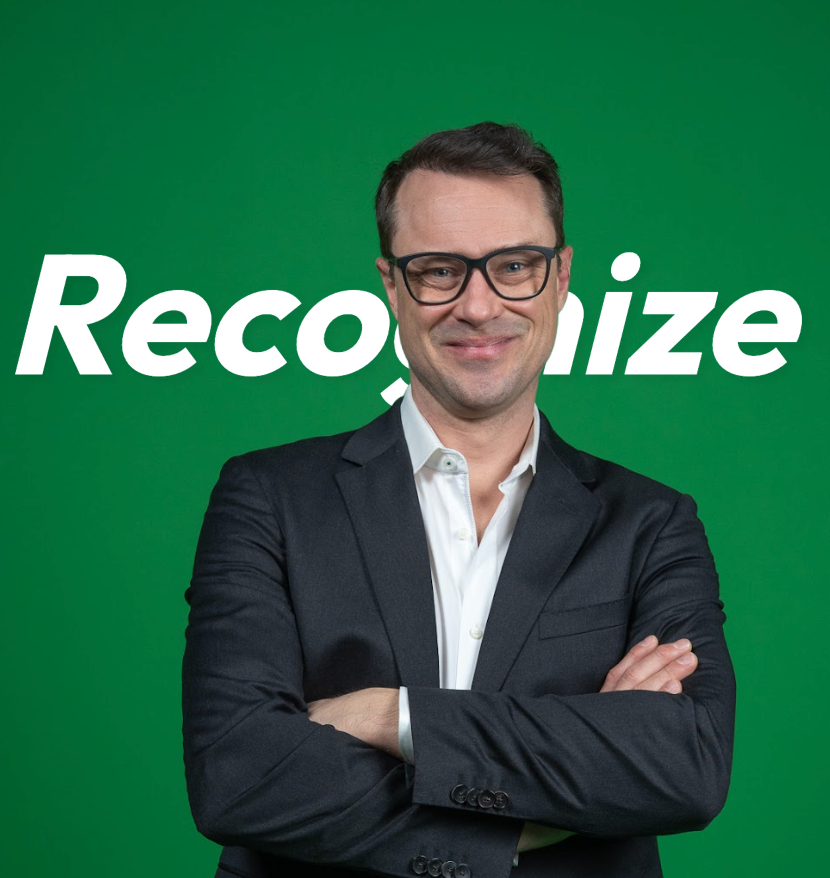
CEO and Co-Founder, Recognize
Alex Grande is a web developer with a passion for motivation and human behavior. Alex has spent over a decade engineering the "Human API", using technology to scale the fundamen...